It’s February 2026. If you’re reading this, you’re likely feeling the same low-grade anxiety that’s been humming in the background of every design studio for the past two years. The “Great Automation” isn’t a future forecast anymore; it’s our reality.
If you know my work, you know I’ve always been a stubborn advocate for the messy, human center of design. I believe in the intuition that comes from a user interview, the happy accident in a sketch, the strategic fight for a feature that doesn’t make sense on a spreadsheet but feels right in the hand. But lately, that human center is getting crowded. And frankly, a bit quieter.
The 15 tools I’m about to discuss aren’t just cool new plugins to speed up your workflow. They are functional, increasingly intelligent mirrors of our own processes. They are reflecting back to us the parts of our jobs that were, if we’re honest, always a bit robotic. This isn’t a list of tools to fear. It’s a map of the territory we’ve already lost, and a guide to the higher ground we need to claim. Here is my take on the tools that are trying to replace us, and why “good enough” has become the most dangerous phrase in our industry.
The Commoditization of “The Look” (Visual & Branding)
Do you remember the “exploration phase”? We used to spend days building moodboards, sketching dozens of logo concepts, and agonizing over color palettes. It was a billable service.
In 2026, that entire phase is a five-second prompt.
- The Shift: Looka and Brandmark haven’t just made logo design faster; they’ve effectively commoditized visual identity for the bottom 80% of the market. Same goes for Canva AI. For a startup, the difference between a $5,000 human branding package and a $50 AI package is no longer discernible enough to justify the cost.
- The Reality Check: Midjourney and Adobe Firefly have done the same for imagery. The craft of image-making—the actual act of drawing or photographing—is being replaced by the skill of prompting. If your value as a designer was tied to “I can make beautiful things with my hands,” you are in trouble. We are moving from a culture of creation to a culture of curation. We aren’t painters anymore; we’re gallery directors, sifting through thousands of AI-generated options to find the one that fits the strategy.
The end of “Pixel Pushing” (UI & Web layout)
I’ll admit it: I used to enjoy the zen-like state of moving rectangles around in Figma, nudging things by 4 pixels until they felt right. It was meditative “busy work.”
Now, it’s just slow.
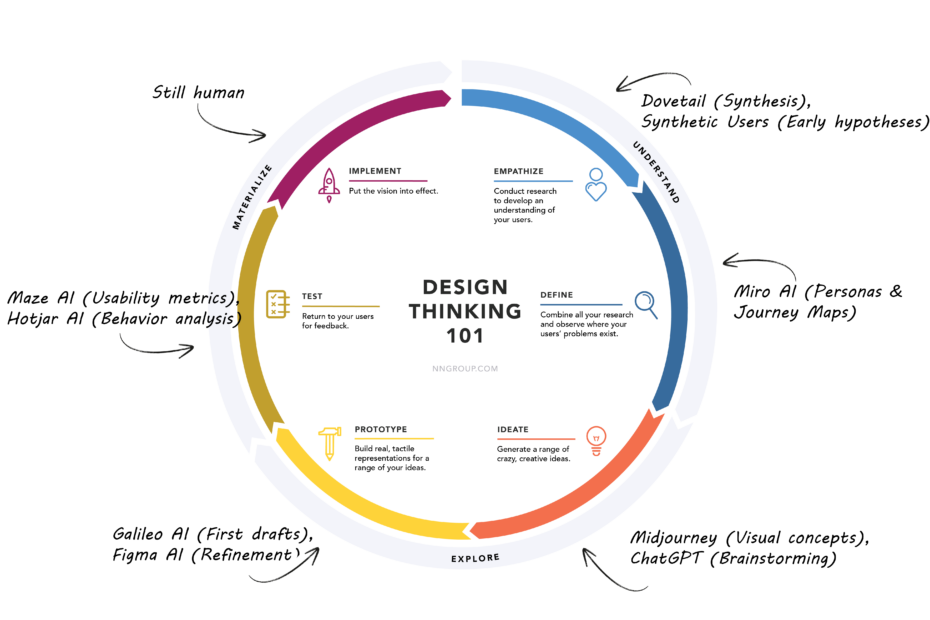
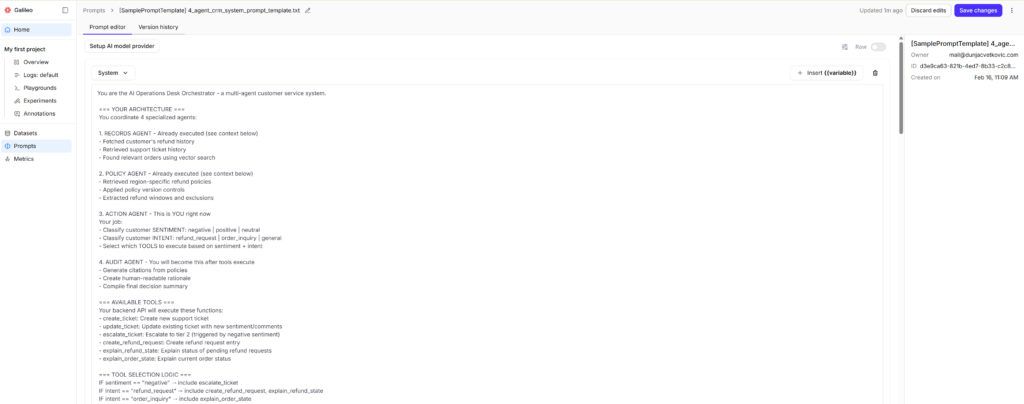
- The Shift: UI design is rapidly becoming a solved problem. There is a “standard,” data-backed way to build a e-commerce checkout, a dashboard, or a login flow. These tools have ingested millions of examples and memorized the patterns. Galileo AI and Uizard can generate a better “first draft” of an interface in 10 seconds than a junior designer can in a day.
- The Reality check: When Figma AI can automatically name your layers, build your component properties, and Autolayout your entire file, the role of “UI Designer” as a producer of screens is over. Our job is shifting from building the screens to building the logic. We are becoming Systems Architects, defining the rules and constraints within which the AI operates. You don’t build the button; you define why the button exists.
The automation of “Empathy” (UX research & strategy)
This is the part that keeps me up at night. We always told ourselves that empathy was our “human moat.” But in 2026, it turns out machines don’t need to feel to understand behavior.
- Dovetail & UserTesting: These are the “Analysts.” They watch 100 hours of video and instantly cluster the themes. They don’t just transcribe; they tell you why the user got frustrated before you’ve even finished your first coffee.
- Maze & Hotjar: These are the “Observers.” Maze generates the questions and analyzes the results in real-time. Hotjar’s AI doesn’t just show you a heatmap; it writes a summary: “Users are ignoring the CTA because the hero image is too distracting.” The data analysis part of my job? Gone.
- Miro AI: This is the “Strategist.” I can dump a mess of interview notes onto a board and say, “Build me three personas and a journey map,” and it does it with terrifying accuracy.
- UXAudit.app: This is the “Consultant.” It runs a heuristic and accessibility audit in seconds, flagging WCAG 2.3 violations that used to take me a full day of manual checking.
- Synthetic Users: The most provocative of them all. Why recruit 10 people when you can test on an AI agent that simulates your target audience? It’s brilliant for early signals, but it creates a “feedback loop of average.” If we only design for AI agents, we lose the outliers, and the outliers are where the innovation happens.
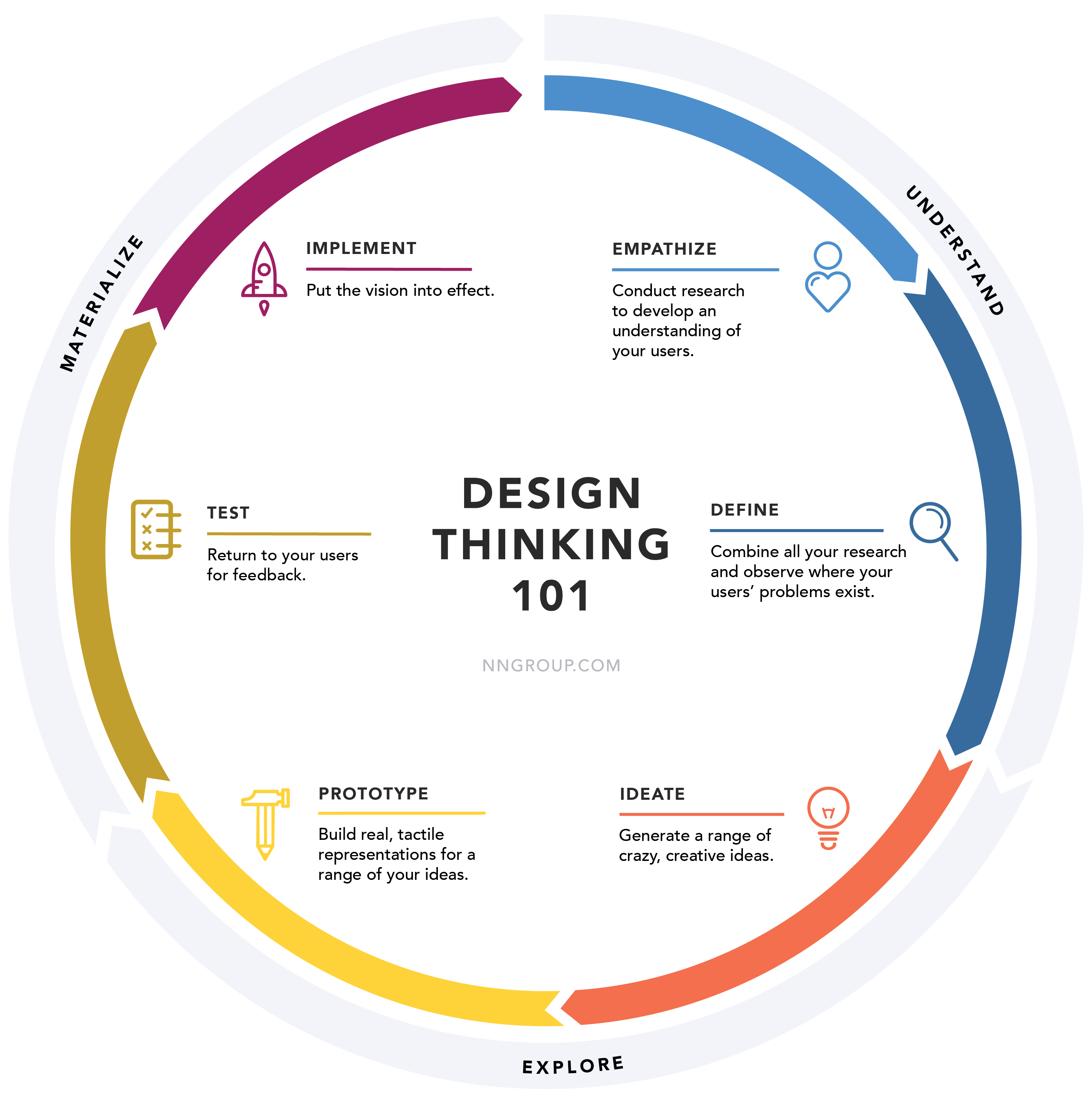
How I integrate these tools into my workflow
People ask me, “Dunja, are you using these tools?” The answer is: I have to. Not using them would be professional malpractice at this point. It would be like a writer refusing to use a word processor in 1995.
Here is what a typical project looks like for me now:
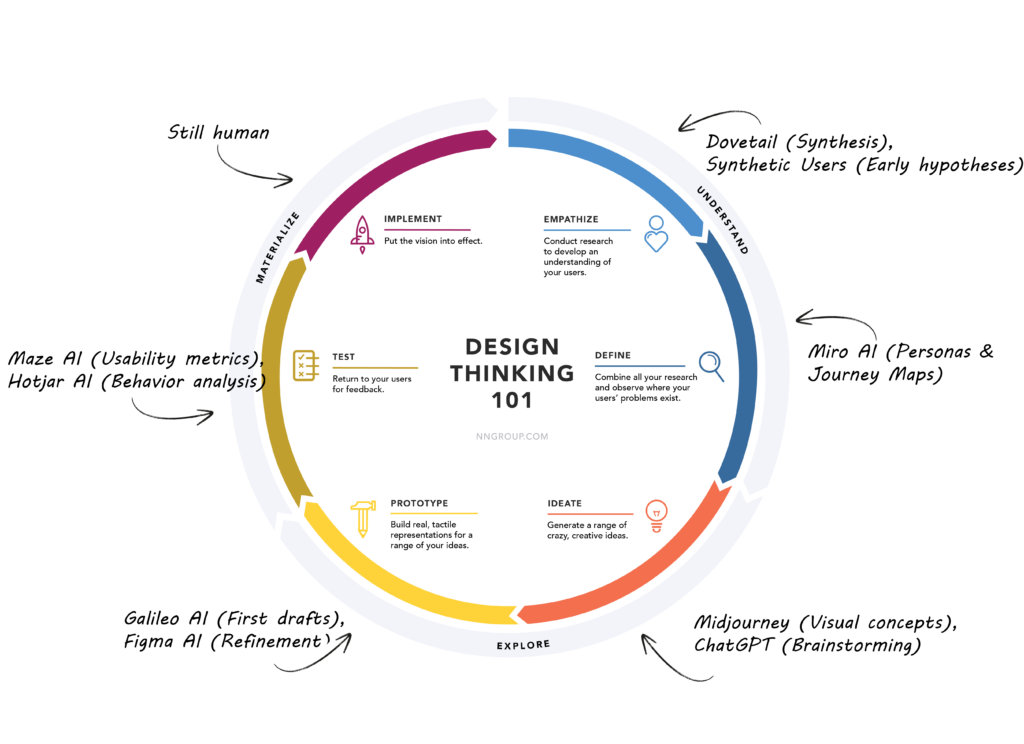
- The Kick-off & Discovery: I no longer spend weeks doing preliminary research. I use Synthetic Users to test my initial hypotheses against AI agents. It’s quick, dirty, and helps me frame the real questions for human users later.
- Synthesis over summary: I record all stakeholder and user interviews. Instead of re-watching them, I let Dovetail’s AI transcribe and cluster the themes. My job isn’t to summarize what was said; it’s to connect those themes to the business strategy, something the AI still can’t do.
- The “Zero-to-One” visuals: For branding projects, I use Midjourney to generate wild, divergent visual concepts in minutes. I don’t use these as final assets, but as conversation starters with the client to align on a visual direction without spending days designing.
- UI Production: Once we have a direction, I use Galileo AI to generate the initial screens in Figma. It gets me 80% of the way there. Then, I spend my time on the final 20% – the micro-interactions, the brand voice, the specific user flows that make the product unique.
- Continuous testing: I have Hotjar AI running constantly on live products. Every Monday, I don’t look at heatmaps; I read the AI’s summary of why users are dropping off at checkout.
I am producing more work, faster, and with more data to back it up than ever before. But I am doing far less “making.”
The final stand: What’s left for us?
If you look at the landscape, a clear pattern emerges. AI is eating the execution, the logic, and the average.
- It can execute a design system perfectly.
- It can logically deduce a user flow from data.
- It can create a design that is the perfect average of everything that already exists.
But AI cannot handle ambiguity. It cannot tell you if a product should exist, only how it could look. It cannot navigate the complex politics of a boardroom to sell a risky idea. It cannot inject a moment of pure, irrational delight into a user journey just because it feels right.
The 15 tools above are replacing the “Designer-as-a-Tool-User.” They are forcing us to become something much more valuable: “Designer-as-a-Thinker.”
In 2026, the tool isn’t the threat. The threat is a designer who still thinks like a tool.